Read an hour-long meeting in a minute.
Verbi writes down every word and tells the speakers apart. Then it pulls out the decisions and the to-dos, with owners and due dates when someone stated them.
What Verbi does with a recording
From the moment you press record to the moment you hand out the tasks.
Record the whole meeting or lecture
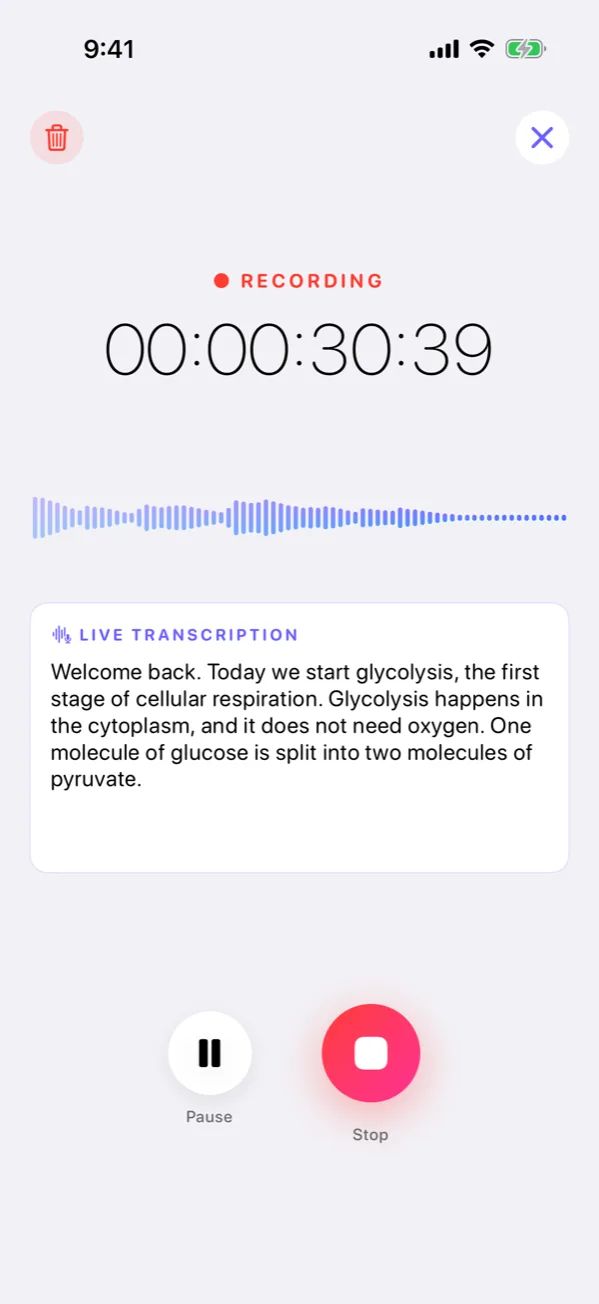
Hit record in the app or on its Home Screen widget, import a file, or share audio in from another app. You can leave Verbi while a long recording transcribes: on Android and on iPhone with iOS 26 or later it tells you when your notes are ready, and on earlier iOS versions the upload carries on in the background.
- Long recordings
- An hour-long meeting or a whole lecture, transcribed start to finish, within your plan’s hours.
- Live transcription
- Watch the words appear while you speak.
- Import and share
- Bring audio from Files, or share it in from any app.
- Meeting reminders
- Verbi reads your calendar and reminds you to record when a meeting starts.
Free plan: 60 minutes of transcription every month (one long lecture can use them up on its own) and 3 AI summaries a month.
Know who said what
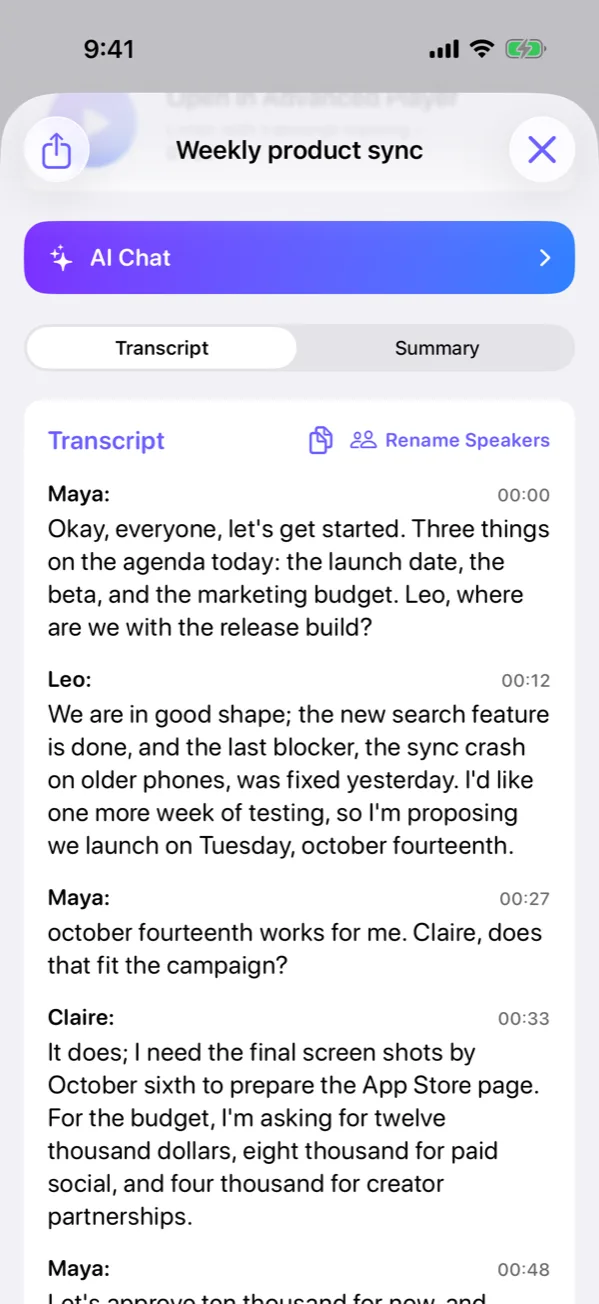
Verbi writes in 39 languages and can detect the language on its own. It separates the voices in the room so you can put a name to each one.
- 39 languages
- English, Spanish, French, German, Turkish, Japanese and more.
- Speaker detection
- See who said what and give each voice a name (Pro).
- Custom vocabulary
- Teach Verbi the names, companies and acronyms it keeps getting wrong.
- Translation
- Read any transcript in English, Turkish, German, French, Spanish, Portuguese, Italian, Russian, Arabic, Japanese, Korean, Indonesian, Dutch, Polish or Simplified Chinese (Pro).
Get the summary you need
Pick a template and the summary comes back in that shape, sticking to what was actually said: owners and due dates appear only when someone stated them. With Pro, every transcript gets its summary on its own; the free plan includes 3 summaries a month.
- Eleven templates
- Plain summary, general meeting, 1:1 meeting, daily meeting, weekly meeting, lesson notes, doctor’s visit, idea capture, email draft, action items, blog post.
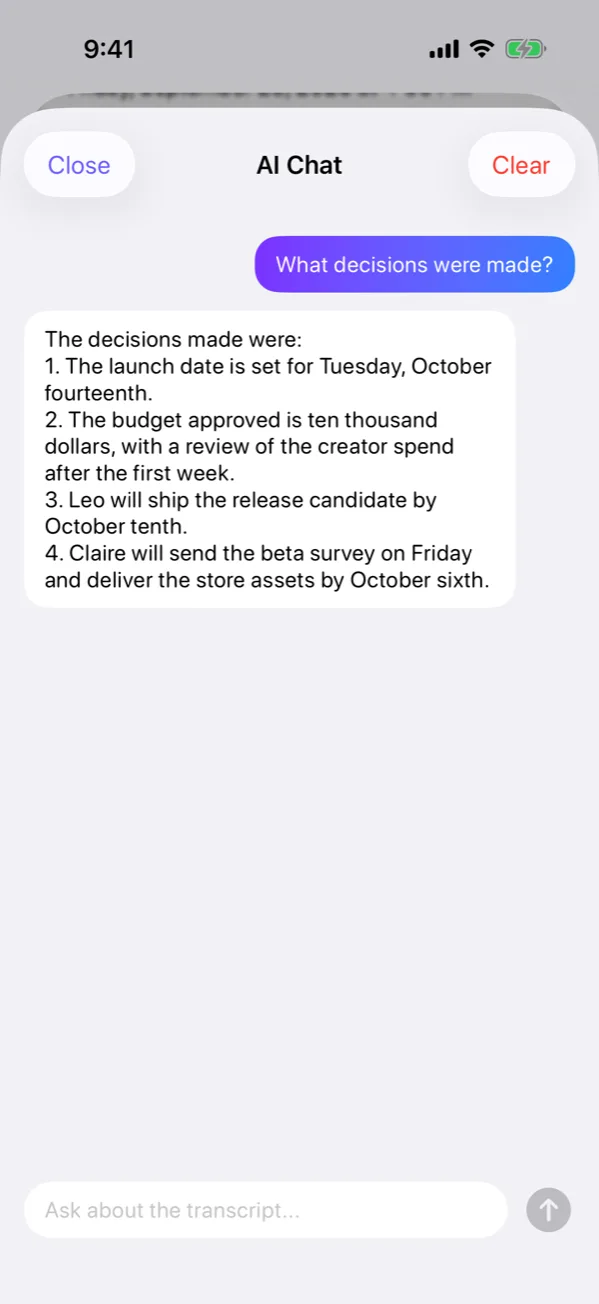
- Ask the transcript
- Ask a question and get an answer drawn from what was actually said (Pro).
- Search
- Find a recording by anything that was said in it.
- Export
- Copy the text, or with Pro share it or save it as TXT, PDF or DOCX.
Your recordings are stored on your phone.
Verbi has no account and no cloud sync. To transcribe, the audio is sent to our speech-to-text providers, ElevenLabs and OpenAI, usually through our server. Summaries, chat and translation send the transcript text to OpenAI. Usage statistics never include your recordings or transcripts, and you can turn them off in Settings.
Read the privacy policyStart free
Download Verbi and transcribe 60 minutes every month at no cost. When you need more, Pro and MAX give you hours of transcription.
Free
Try Verbi on your own recordings.
- 60 minutes of transcription a month
- Recordings kept for 15 days
- Live transcription (basic on iPhone)
- 3 AI summaries a month
Verbi Pro
Everything in Free, plus hours of transcription.
- 20 hours of transcription a month (5 a week on the weekly plan)
- An AI summary for every transcript
- Speaker detection
- Translation
- High-quality live transcription on iPhone
- Recordings are not deleted after 15 days
MAX
Twice the hours of Pro, for heavy use.
- 40 hours of transcription a month (10 a week on the weekly plan)
- Everything in Pro
Extra hours
For the weeks that run over.
- Packs of 5 or 15 extra hours
- They never expire
- Used once your plan’s hours run out
Pro and MAX are subscriptions (weekly, monthly or yearly), and extra hours are a one-time purchase for subscribers. Plan hours reset every week on weekly plans and every month on monthly and yearly plans, and don’t carry over. The app shows the price in your currency before you subscribe.
Questions, answered
Is Verbi free?
Yes, Verbi is free to download. The free plan includes 60 minutes of transcription a month, live transcription (basic on iPhone), 3 AI summaries a month and copying the text, and keeps recordings for 15 days. Verbi Pro (20 hours of transcription a month, or 5 a week on the weekly plan) and MAX (twice the hours) are optional subscriptions; the app shows their price in your currency before you subscribe.
Which languages does Verbi understand?
Verbi transcribes 39 languages, including English, Spanish, French, German, Turkish, Italian, Portuguese, Arabic, Japanese and Chinese. You can pick the language or leave it on auto-detect.
Can Verbi transcribe Turkish and German?
Yes. Both are among the 39 languages Verbi transcribes, and the app itself is available in 15 languages, Turkish and German included (the eight newest, Russian, Arabic, Japanese, Korean, Indonesian, Dutch, Polish and Chinese, from version 1.5.0 on iPhone and 1.3.0 on Android).
How long can a recording be?
Pro covers long recordings: an hour-long meeting or a whole lecture is transcribed from start to finish, within your plan’s hours (Pro: 20 hours a month or 5 a week; MAX: 40 hours a month or 10 a week). If you run out, you can add extra hours that never expire. On the free plan, your recordings share 60 minutes a month, and on iPhone a recording stops when they run out. You can leave the app while a long recording transcribes. On Android, and on iPhone with iOS 26 or later, Verbi tells you when it’s ready; on earlier iOS versions the upload carries on in the background and the transcript is waiting when you reopen the app.
Where are my recordings stored?
On your phone. Verbi has no account and no cloud sync, so recordings and transcripts are stored on your device. To transcribe, the audio is sent to our speech-to-text providers (ElevenLabs and OpenAI), usually through our server; summaries, chat and translation send the transcript text to OpenAI. The privacy policy explains what is sent, where, and for how long.
Does Verbi summarize recordings?
Yes. Choose a template (plain summary, general meeting, 1:1 meeting, daily or weekly meeting, lesson notes, doctor’s visit, idea capture, action items, email draft or blog post) and the summary comes back in that shape; Pro also summarizes every transcript on its own. Summaries stick to what was said: owners and due dates appear only when someone stated them. With Pro you can also ask the transcript questions. The free plan includes 3 summaries a month: an automatic one uses your default template, and you pick the template when you ask for one yourself.
Is Verbi available on Android?
Yes. Verbi is on Google Play for Android phones and on the App Store for iPhone.
Can I transcribe audio files and videos I already have?
Yes. Import an audio file, share audio to Verbi from another app, or paste a YouTube link, and Verbi transcribes it like a recording made in the app. Imported files count toward the free plan’s 60 minutes a month, and the app shows any free-plan limit on video imports.
Guides
Step by step: voice memos, lectures, meetings, interviews and videos.
- Turn a voice recording into textVoice memos and audio files as clean, searchable text.
- Lecture recorder with transcript and notesRecord or import a class, get the full transcript and lesson notes built from it.
- AI meeting notesDecisions and to-dos from your recording, with owners and dates only when someone said them.
- Interview transcriptionThe whole conversation with the speakers told apart, ready to quote from.
- Turn a YouTube video into textPaste the video’s link and get the transcript.
Record your next meeting with Verbi.